TinyMCE Upgrade
April 10, 2023: The TinyMCE rich text editor upgraded from version 3 to version 6.
Notable Changes
Updated UI
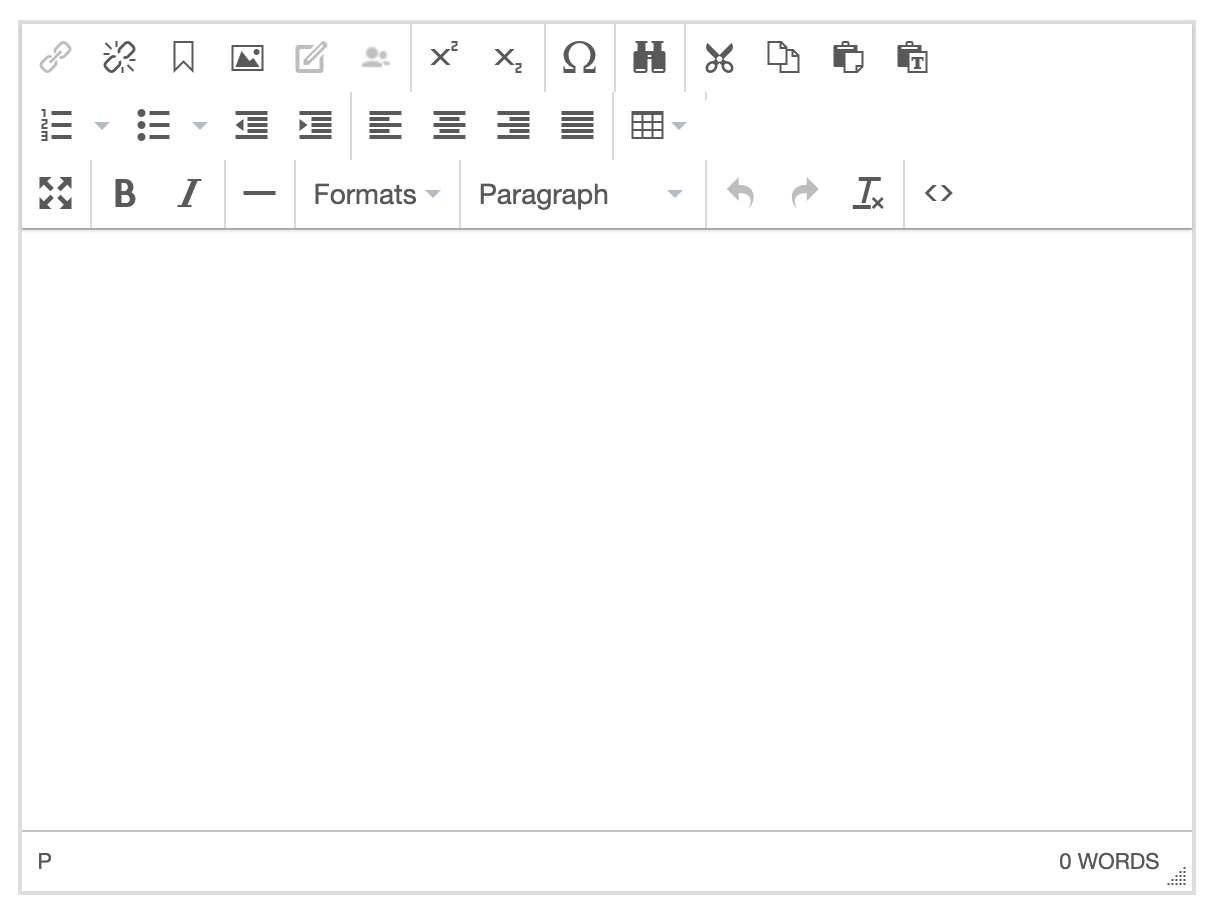
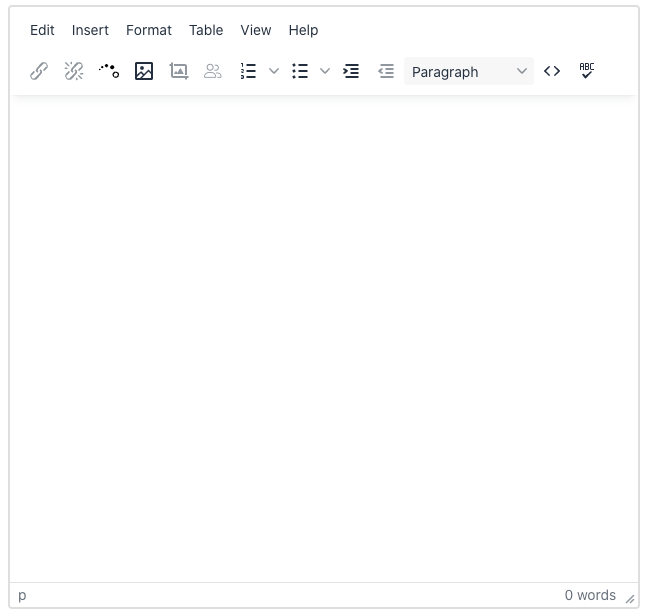
Toolbar Menus

- Edit: Copy, paste, undo, redo, etc.
- Insert: Image, table, horizontal line, special character, and anchor link.
- Format: All formatting options (bold, italic, text alignment, headings, custom styles, etc.) and clear formatting.
- Table: Table properties and options.
- View: Source code, spellchecker, and full screen mode.
- Help: Provides a list of all keyboard shortcuts that can be used.
Exposed Toolbar Options

- Link
- Unlink
- Insert Aprimo Image
- Insert/Edit Image
- Image Editor
- Personalize Content
- Numbered List
- Bulleted List
- Indent
- Outdent
- Formatting Options Menu
- HTML Source Code
- Spellchecker
Quick Toolbar Options
These options appear when text in the editor is highlighted.

- H2
- H3
- H4
- Bold
- Italics
- Clear Formatting